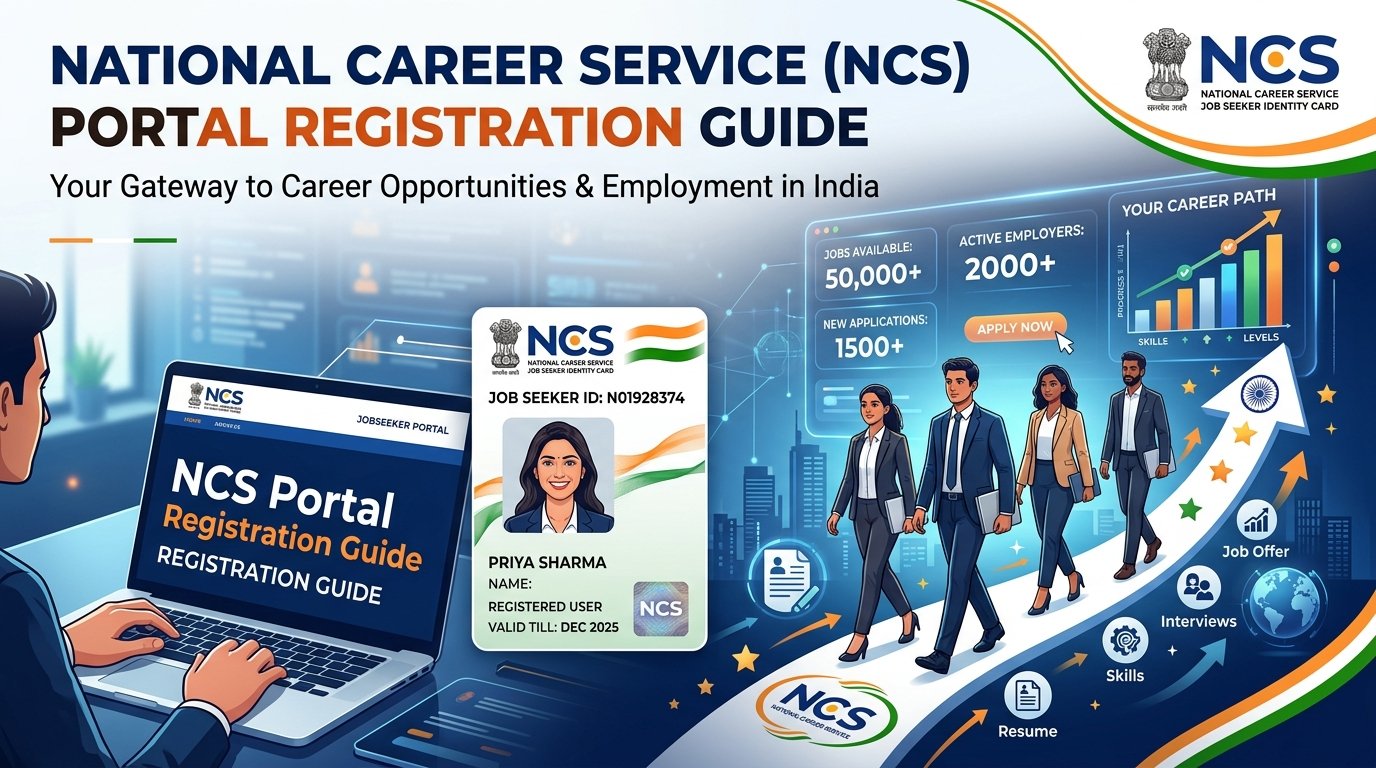
If you are a fresh graduate, diploma holder, or job seeker in India, completing your NCS portal registration online has become a vital step for your career. Initiated by the Ministry of Labour and Employment, the National Career Service (NCS) portal acts as a single-window platform connecting candidates with government departments, Public Sector Undertakings (PSUs), and private employers.
This guide walks you through the eligibility conditions, required documents, online enrollment procedure, and downloading your NCS Registration Card.
Last updated: 7 October 2026. We re-checked the NCS helpline and fee details against the official NCS and DGE websites.
Quick Overview: National Career Service (NCS) Portal
| Feature | Details |
|---|---|
| Portal Name | National Career Service (NCS) |
| Governing Body | Ministry of Labour & Employment, Govt. of India |
| Official Website | ncs.gov.in |
| Target Audience | Job Seekers, Employers, Skill Providers, Counsellors |
| Registration Fee | 100% Free of Cost |
| Key Requirement | A unique ID (Aadhaar, PAN, Voter ID, Passport, Driving License, UAN Number, or NREGA Job Card) |
| Core Benefit | NCS profile with job alerts, career counselling, and a downloadable Registration Card |
What is NCS Registration and Why Does It Matter?
The National Career Service (NCS) is an ICT-based portal that functions as a modern, digital job-matching platform under the Ministry of Labour and Employment. When you register as a job seeker, the portal creates a profile linked to a unique registration number.
Key Reasons to Complete NCS Portal Registration Online:
- Free access to job listings: Employers across sectors post vacancies on the portal that registered job seekers can search and apply to.
- Career counselling and skill training: Registered candidates can access career guidance and, per NCS materials, skill training delivered in partnership with providers such as TCS iON.
- Job Fairs and Model Career Centres: Registered users can find and participate in job fairs and access services through Model Career Centres (MCCs) across India.
Eligibility Criteria for NCS Registration
- Nationality: Anyone can access NCS services.
- Age Limit: According to the official NCS FAQ, the minimum age is 14 years and above. There is no upper age limit.
- Educational Qualification: There is no minimum qualification requirement to register — candidates from all education levels, including those with no formal qualification, can sign up.
Documents Required for NCS Portal Registration Online
Before starting your application on ncs.gov.in, keep the following ready:
- A Unique Identification Number (Any One):
- Aadhaar Card
- PAN Card
- Voter ID Card
- Passport
- Driving License
- UAN Number
- NREGA Job Card
- Active Mobile Number: For OTP verification.
- Valid Email Address: For login credentials and notifications.
- Basic Personal and Educational Details: Name, date of birth, guardian’s name, and qualification details.
Step-by-Step Guide for NCS Portal Registration Online
- Visit the Official Portal: Go to ncs.gov.in.
- Start Registration: Click “Register” and select “Jobseeker.”
- Identity Verification: Choose your ID type (Aadhaar, PAN, Voter ID, Passport, Driving License, UAN, or NREGA Job Card) and enter the number along with your date of birth.
- Fill in Personal & Contact Details: Name, gender, state/district, guardian’s name, education level, email, and mobile number, and set a password.
- OTP Verification: Enter the OTP sent to your mobile number and/or email to confirm your identity.
- Enter Skills & Experience: Add your key skills and work history to help the portal match you with relevant jobs.
- Final Submission: Review your details and submit. Your registration is confirmed and your profile becomes active.
NCS Portal Login: How to Log In and Fix Common Problems
After completing your NCS portal registration, you can log in at any time to search for jobs, apply, update your profile and download your registration card. Always log in only through the official website, ncs.gov.in.
- Open the official NCS website, ncs.gov.in, or go directly to the Jobseeker Login page.
- Enter the username or email and the password you set during registration.
- Submit to open your jobseeker dashboard.
Forgot your NCS password?
Click the “Forgot Password?” link in the login box on ncs.gov.in and follow the steps to reset it. If you still cannot log in, contact NCS support using the details below.
OTP not received?
The OTP is sent to the mobile number or email you gave at registration. If it does not arrive, these common fixes usually help: check that the number or email you entered is correct and active, check your mobile network and spam folder, wait a few minutes instead of requesting the OTP many times in a row, and try again. If the problem continues, contact NCS support.
NCS helpline and support
The NCS toll-free helpline is 1514, available Tuesday to Sunday, 8:00 AM to 8:00 PM, as listed by the Directorate General of Employment. NCS also lists a support email on its website: support.ncs@gov.in.
NCS mobile app
According to the NCS website, NCS also has a mobile app available on the Google Play Store and the Apple App Store. Download it only from the official stores.
Downloading Your NCS Registration Card
Once registered, you can download your NCS Registration Card from your dashboard. According to the official Jobseeker User Manual, this is available under the Profile section.
Steps to Download:
- Go to ncs.gov.in and log in with your username/email and password.
- From your Jobseeker Dashboard, go to the Profile section.
- Select “NCS Registration Card.”
- Click “Download as PDF” to save your card.
How to Register for NCS Job Fairs Online
- Log into your NCS candidate profile.
- Go to the “Job Fairs & Events” section on the dashboard.
- Select your state and district to view upcoming events.
- Review participating employers and available job posts.
- Apply to the job fair of your choice. Per the official Jobseeker manual, some job fair events involve QR-code-based participation.
NCS Work From Home Jobs: What to Know Before You Apply
Many candidates search for “NCS work from home registration online”. There is no separate paid work-from-home registration. You register once as a jobseeker on ncs.gov.in, and then search and apply for jobs posted by employers.
NCS has listed work-from-home vacancies in the past, and employers keep posting new jobs, so availability changes from time to time. NCS is a job-matching platform, so a job is never guaranteed.
- Log in to your NCS jobseeker account.
- Search for jobs and use the available filters, such as sector, location and qualification, along with keywords like “work from home”. The filters available on the portal can change.
- Open a listing and read the employer and job details carefully.
- Apply from your dashboard and keep your profile and documents up to date.
Beware of fake NCS messages and websites
NCS states that its services are free and that it does not charge any fee at any stage of registration, job application, interview processing or other employment-related services. NCS also warns about fraudulent websites that falsely claim to be associated with it.
If anyone asks you for money to register, to give you a work-from-home job or to book an interview, it is not NCS. Never share your OTP, password or bank details. To report cyber fraud, call the national cybercrime helpline 1930, and you can ask NCS on 1514.
Important Direct Links
| Resource / Action | Link |
|---|---|
| NCS Official Registration Portal | Register Online |
| Candidate Login Portal | Jobseeker Login |
| Official Website | ncs.gov.in |
| Steps to download the NCS ID card | Step to download the NCS ID Card |
Frequently Asked Questions (FAQs)
1. Is NCS portal registration free for candidates?
Yes. NCS explicitly states it does not charge any fee at any stage of registration, job application, interview processing, or other employment-related services.
2. What is the minimum age to register on NCS?
Per the official NCS FAQ, the minimum age is 14 years and above, with no upper age limit.
3. How can I recover my forgotten NCS login details?
Visit ncs.gov.in and use the “Forgot Password” option, or contact the NCS toll-free helpline at 1514 (Tuesday to Sunday, 8:00 AM to 8:00 PM).
4. Can I apply for private company jobs through the NCS portal?
Yes, private employers post vacancies on the NCS portal that registered job seekers can apply to.
5. What should I do if my Aadhaar verification fails during registration?
Ensure your name and date of birth match your Aadhaar card exactly, or register using another accepted ID such as PAN, Voter ID, Passport, Driving License, UAN, or NREGA Job Card.
6. How do I download my NCS Registration Card?
Log into your dashboard at ncs.gov.in, go to the Profile section, select “NCS Registration Card,” and click “Download as PDF.”
7. Is there a separate NCS application form?
No. The online registration on ncs.gov.in works as the jobseeker application form. You fill in your ID details, personal and contact details, education and skills, as explained in the step-by-step guide above. After that, you apply to individual jobs from your dashboard.
8. How do I log in to the NCS portal?
Go to the official Jobseeker Login page on ncs.gov.in and enter the username or email and password you set at registration. If you forgot your password, use the “Forgot Password?” link. See the NCS portal login section above for more help.
9. Is there an NCS mobile app?
Yes. According to the NCS website, the NCS app is available on the Google Play Store and the Apple App Store. Download it only from the official stores.
10. Are NCS work from home jobs real?
NCS is a Government of India portal and its services are free. The jobs are posted by employers, and listings change over time. Check the employer before sharing documents, and never pay anyone who claims to offer an NCS job.
Related Government Portal Guides
- NATS 2.0 registration guide for freshers
- NAPS 2.0 registration guide 2026
- PM Internship Scheme: eligibility and how to apply
- Latest government job notifications

Engineering graduate and founder of FreshersJob4U. I write detailed job guides, interview prep resources, and career roadmaps for freshers and early-career professionals in India. This site started from my own experience with the scattered, confusing fresher job search — I wanted to build something cleaner.