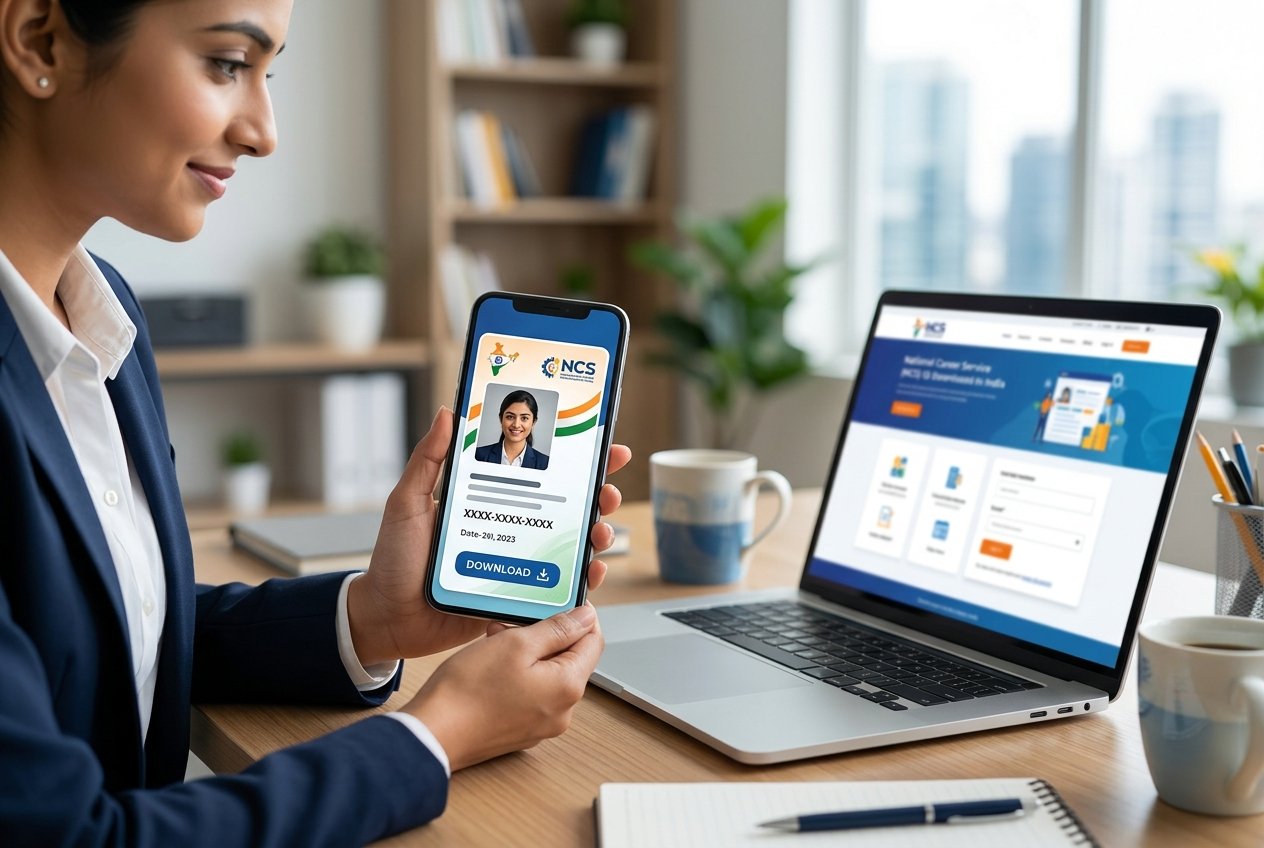
Getting your National Career Service (NCS) ID card is one of the easiest ways to prove your registration on India’s official government job portal. If you are trying to figure out the ncs id card download pdf by mobile number process, you are in the right place. Many freshers and experienced candidates register on the portal but forget to download their ID card, which is often required when attending local Rozgar Melas (job fairs) or applying for government-backed skill training programs like DigiSaksham.
In this guide, we break down the exact steps to retrieve your profile and download your NCS ID card directly to your phone or laptop as a PDF, using just your registered mobile number. No complicated usernames or Aadhaar OTPs are required if your mobile number is already linked.
This guide assumes you are already registered on the portal. If you are not, start with our step-by-step guide to NCS portal registration — a registered profile has to exist before any ID card can be generated.
Why Do You Need the NCS ID Card?
The NCS portal, managed by the Ministry of Labour and Employment, is a massive directory connecting job seekers with private companies, TCS, Infosys, and various government departments. Having a physical or digital copy of your NCS ID card is useful for several reasons:
- Rozgar Mela Entry: Most state-level job fairs require candidates to present their NCS registration number or ID card for entry.
- Verified Profile: It acts as proof that your educational details and identity have been verified by a government portal, which adds credibility to your resume.
- Free Skill Training: Organizations offering free courses (like TCS iON Career Edge or Microsoft digital literacy programs linked with NCS) often ask for this registration ID. The same is true of apprenticeship training under NAPS, which runs its own registration on a separate government portal.
Step-by-Step: NCS ID Card Download PDF by Mobile Number
Downloading your card takes less than two minutes. Follow these simple steps to get your ncs id card download pdf by mobile number completed successfully.
Step 1: Visit the Official NCS Website
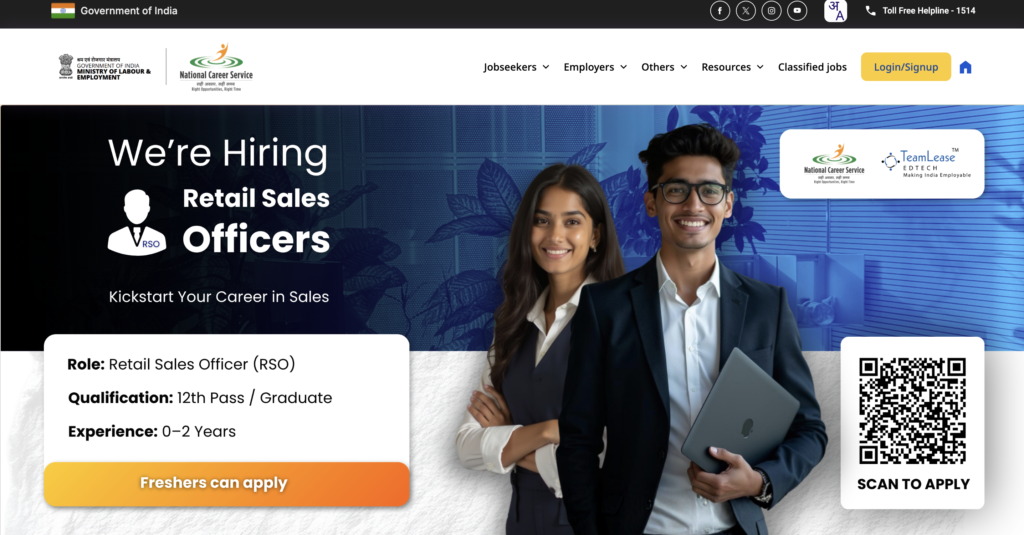
Open your browser (Google Chrome or Safari works best) and go to the official National Career Service portal at https://www.ncs.gov.in/. Make sure you are on the legitimate government domain and not a third-party site.
you will see an UI like below
Step 2: Go to the Jobseeker Login Page
On the top right corner of the homepage, click on the “Login/Signup” button. A login panel like below will appear on your screen.
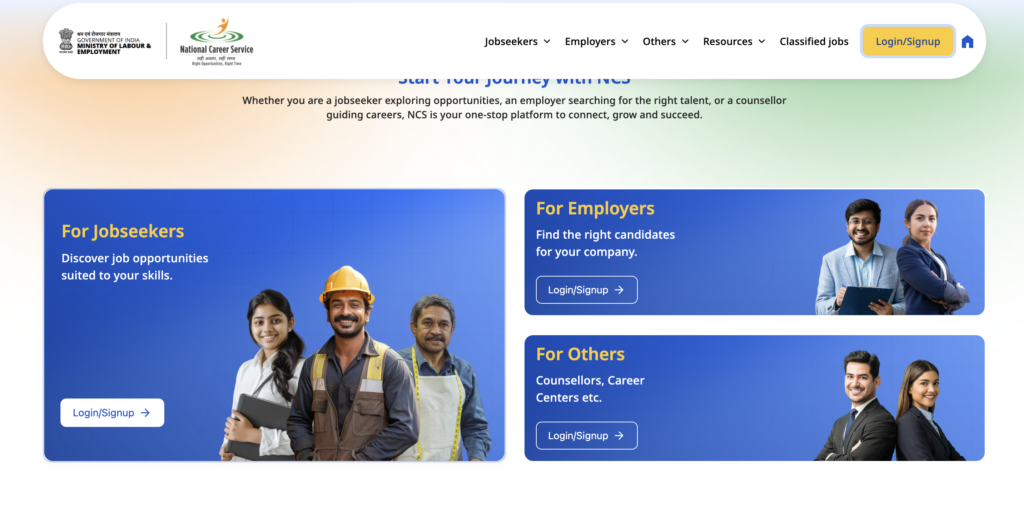
Step 3: Select For Jobseekers option
Click on Login/Signup button in the jobseeker option. An UI like below will appear on your screen.
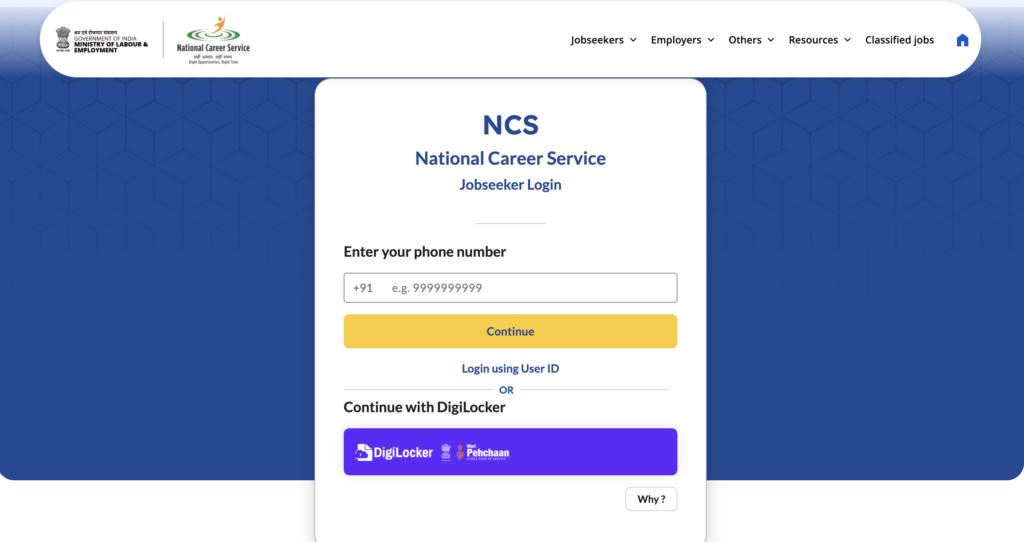
Step 4: Enter Your Mobile Number
Enter your mobile number. You will get a six digit otp on your mobile number. Verify the otp and continue
Step 5: Click on your profile
Once you are logged into your account, click on the right hand side icon. You will see an option profile, click on that. A page like below will be opened on your screen.
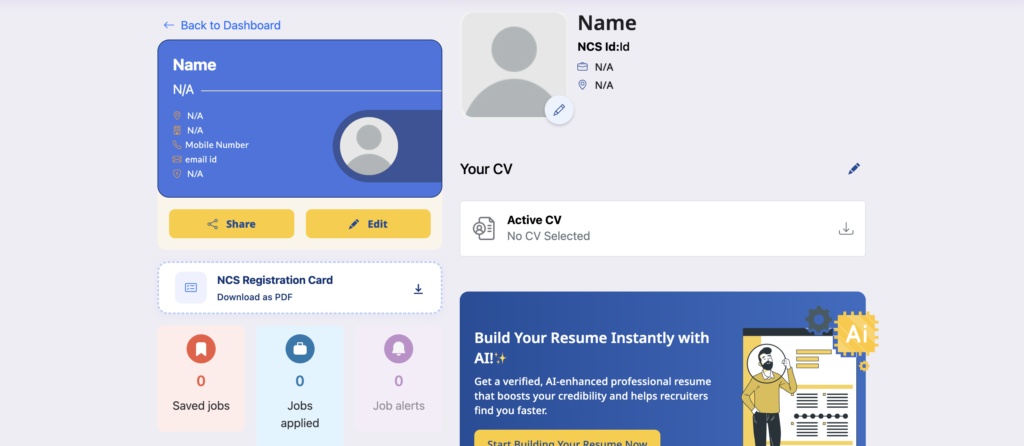
Step 6: Download Your NCS Registration Card
On the page, in the left hand side, you can see an option “NCS Regitstration Card” Download as PDF. Clicking on that “NCS Registration Card” will download your card. The file will automatically save to your mobile device or computer.
Frequently Asked Questions (FAQ)
1. Can I download my NCS ID card using only my Aadhaar number?
Yes, if your Aadhaar is linked to your NCS profile, you can use your Aadhaar number as your username on the login page instead of your mobile number.
2. Is the NCS ID card free to download?
Absolutely. The National Career Service portal is a free government initiative. You do not have to pay any fees to register or download your ID card.
3. Do I need to print the ID card in color?
A color printout is recommended if you are taking it to a physical Rozgar Mela so your photograph is clearly visible, but a black-and-white printout or simply showing the PDF on your smartphone is usually acceptable.
4. My photograph is missing from the ID card. How do I fix this?
Log in to your dashboard and go to “View/Update Profile”. Upload a recent passport-size photograph in the personal details section. Once saved, generate the ID card again, and your photo will appear.
Government portals are strict about photo dimensions and file size, and a rejected upload is the usual reason this step fails twice. Our free photo resizer gets a passport-size image to the exact pixel and KB limits before you upload it.
Looking for more official opportunities? Browse the latest openings in our Government Jobs section — and if you are still deciding which direction to aim for, our comparison of a PSU versus private sector career is worth reading first.

Engineering graduate and founder of FreshersJob4U. I write detailed job guides, interview prep resources, and career roadmaps for freshers and early-career professionals in India. This site started from my own experience with the scattered, confusing fresher job search — I wanted to build something cleaner.